r5-page-curl

Save Microsoft Office documents to SharePoint

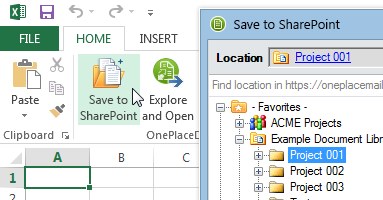
OnePlaceMail makes it possible to save documents such as Word, Excel and PowerPoint directly into SharePoint. Regardless of your Office version (2003, 2007 or 2010), you can simply save documents into SharePoint (MOSS 2007/WSSv3 and SharePoint 2010/Foundation) Outlook to SharePoint integrationand complete any SharePoint metadata as part of the process.Once in SharePoint, you have access to the rich document management capabilities provided by the SharePoint platform.

With the seamless connection between the desktop office applications and SharePoint provided, users are encouraged to save documents into SharePoint as opposed to saving document on the network drive or local drive.

Save a document from Office to SharePoint

  • Save Microsoft Word, Excel and PowerPoint files (Office 2003, 2007 and 2010) directly to SharePoint.
  • OnePlaceMail includes support for completing SharePoint column information including the new SharePoint 2010 enterprise and managed keywords direct from the desktop applications.

Office to SharePoint integration

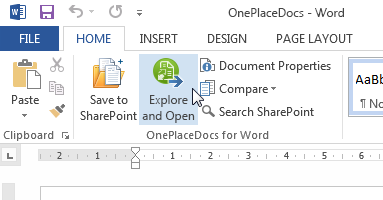
scr-office-to-sharepoint-smlIn addition to the OnePlaceMail ‘Save to SharePoint’ and ‘Search’ functions added to Microsoft Office, OnePlaceMail surfaces the standard Office to SharePoint integration capabilities provided out of the box in Office 2007 and Office 2010. For example, the capability provided by Office to compare the content of the current version of a document with a previous version stored in within SharePoint.

Complete SharePoint metadata

  • Completes SharePoint metadata when saving Word, Excel or PowerPoint documents from Office 2003, 2007 and 2010.
  • Support for default values, Column validation, List level validation, folder level defaults and enterprise keywords/Managed Metadata

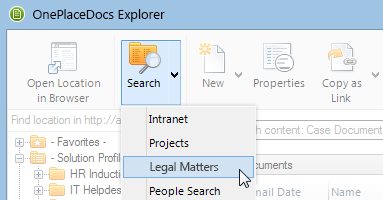
Search SharePoint

  • Search SharePoint from Office 2007 and 2010.
  • Save to favourite SharePoint libraries and lists and encourage the adoption of SharePoint with full access to document management capabilities provided between SharePoint and Microsoft Office.